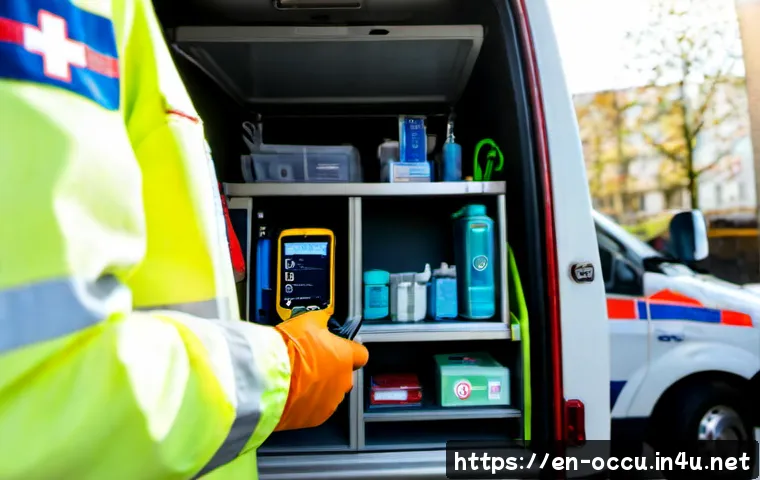
EMS teams can use patient data safely when it improves care, documentation, quality review, or authorized operations without expanding access beyond a legitimate need.

A basic ePCR system is often enough for dependable field documentation, while an integrated EMS data platform may be worth considering when hospital handoffs, audit reporting, or multi-agency data sharing are central needs.
The practical goal is not to collect every possible detail. It is to capture accurate information that the next clinician, reviewer, or authorized operations team can use.
Software choice matters because mobile usability, interoperability, security controls, reporting, and implementation support can all affect whether data helps or slows the crew.
Local privacy rules, consent requirements, and organizational agreements should always be checked before changing a workflow.
At a Glance
- ePCR software can make field documentation more consistent and easier to retrieve than paper-only records.
- Patient data should be accessed only for legitimate care, operational, quality-imvement, or legally authorized purposes.
- An integrated EMS data platform becomes more relevant when teams need hospital connectivity, shared reporting, or multi-agency workflows.
| Option | Best Fit | Main Strength | Key Review Point |
|---|---|---|---|
| Standalone ePCR system | Teams focused on core field documentation | Structured patient care reports and record retrieval | Mobile usability, required fields, device security, and reporting |
| Integrated EMS data platform | Services needing dispatch, hospital, and reporting workflows | Potentially smoother data movement across approved systems | Compatibility with current dispatch and clinical systems |
| Custom interoperability service | Regional or multi-agency systems with complex sharing needs | Can support agreed data exchange workflows | Governance, shared definitions, technical scope, and support |
What Patient Data Helps EMS Teams Do Better
EMS crews commonly collect patient assessment, treatment, vital-sign, incident, and transport information during emergency calls. When that information is accurate and available to the right people, it can support safer continuity of care and clearer operational review. The useful question is not “How much data can we collect?” but “What information is needed for this patient, this report, and this authorized workflow?”
Faster, clearer handoffs at the emergency department
A structured ePCR can help crews organize the details that matter during transfer of care: the assessment, care provided, observed vital signs, incident context, and transport information. A clear record does not replace a verbal handoff or clinical judgment. It can, however, reduce the chance that important details become difficult to locate later.
Before using hospital integration tools, confirm what can actually be shared, when it can be shared, and who may view it. Technical compatibility, local privacy rules, consent requirements, and organizational agreements may all affect the workflow.
Better documentation for clinical, operational, and billing needs
The same report can serve different authorized purposes, but those purposes are not identical. Clinical handoff data supports continuity of care. Quality-improvement data can support case review and documentation improvement. Operational data can reveal response-time trends, frequent call types, and equipment utilization. Billing-related documentation may require complete, clear records of the service provided.
Keeping these uses distinct helps supervisors avoid building a report around only one audience. A short report that omits key treatment information may create problems for handoff and review. A long report filled with unnecessary details can create privacy and usability concerns.
The limits of data: information supports judgment, not automatic decisions
Dashboards, alerts, and analytics can show patterns, but they do not automatically explain why a pattern occurred. A response-time trend may reflect call volume, geography, staffing, dispatch workflow, or incomplete data. Review the underlying records and local context before treating a metric as proof of a performance issue.
Choosing the Right EMS Data Setup: ePCR, Integration, or Analytics Platform
The best EMS software setup depends on what the team must do every day. A small service may need reliable documentation and simple report retrieval. A hospital-based service may need better emergency department handoff workflows. A regional system may need shared data definitions and controlled exchange between agencies.
Standalone ePCR tools for core field documentation
A standalone ePCR tool is usually the starting point when the immediate priority is consistent patient care reporting. Evaluate whether the field workflow is practical: can clinicians document assessments, treatments, vital signs, incidents, and transport details without creating unnecessary friction?
Also review account controls, audit logs, approved-device support, report retrieval, and the ability to correct documentation through an appropriate process. A lower-complexity system can be a sensible choice when it meets the agency’s actual documentation needs and staff can use it reliably.
Integrated platforms for dispatch, hospital, and reporting workflows
An integrated EMS data platform may be worth evaluating when approved workflows involve dispatch information, hospital handoff, quality reporting, or regional coordination. Integration should not be assumed just because two vendors use similar language. Ask specifically whether the platform works with the agency’s existing dispatch and clinical systems, and what configuration or implementation support is required.
The value of integration is strongest when it removes a meaningful duplicate step, improves authorized access to relevant information, or supports a reporting workflow that the agency already needs. More connections also create more governance and security questions, so access rules and responsibilities should be clear before rollout.
Cost factors to compare beyond the subscription price
Pricing, implementation fees, device costs, and ongoing support costs require a verified vendor quote. Still, teams can compare the categories before speaking with vendors. Look beyond the software subscription and ask about implementation support, staff training, mobile device requirements, security administration, reporting configuration, integration work, and ongoing support.
A low initial price may not represent the full cost if the team must build manual workarounds or cannot obtain the reporting it needs. On the other hand, a broad platform may add complexity that a small provider does not need. Compare total cost of ownership against the workflow problem being solved.
Comparison table: usability, interoperability, security, reporting, and support
| Criterion | What to Ask | Why It Matters |
|---|---|---|
| Mobile usability | Can crews complete essential documentation in the field with a clear workflow? | Usability affects completeness and staff adoption. |
| Interoperability | Does it connect with current dispatch, hospital, or clinical systems where authorized? | Compatibility affects whether data exchange is practical. |
| Security controls | Are role-based access controls, audit logs, and device protections available? | Sensitive patient information requires controlled access. |
| Reporting | Can authorized users review documentation and operational patterns clearly? | Data quality influences audits, planning, and reporting. |
| Support | What implementation and training support is available? | Technology changes fail when workflows are not adopted safely. |
A Safer Workflow for Collecting and Sharing Prehospital Information
A secure workflow is usually built from simple, repeatable habits. The software matters, but crews and supervisors also need clear expectations for what to document, how to verify it, and where information can be accessed or shared.
Capture only information needed for care and required documentation
Document information that supports patient care and required reporting. Avoid treating the report as a place to add details that have no clear clinical, operational, quality-improvement, or legally authorized purpose. Focused documentation is easier to review and helps reduce unnecessary exposure of sensitive information.
Verify key entries before transfer of care
Before finalizing or transferring a report, verify key patient identifiers, timestamps, vital signs, medication details, treatments, and transport information. This does not mean delaying urgent care for paperwork. It means using a practical review step when the clinical situation allows and correcting known errors through the approved process.
Use approved devices, accounts, and secure communication channels
Patient records should be handled through approved devices, authorized accounts, and secure communication channels. Shared logins, unsecured personal devices, and informal messaging methods can make access control and audit review difficult. Device security and account management are core parts of an EMS data workflow, not technical extras.
Keep access limited to appropriate roles
Role-based access controls help limit records to people who need them for their work. Audit logs can support review of access activity. Staff training should explain that curiosity, convenience, or personal familiarity with a patient is not a work-related reason to access a record.
Common Data Mistakes That Create Clinical and Operational Risk
Most documentation problems are not dramatic technical failures. They are small omissions, unclear notes, uncontrolled access, or reporting assumptions that compound over time.

Missing timestamps, medication details, or patient identifiers
Incomplete timestamps, medication details, and identifiers can weaken a handoff and make later review difficult. Build a report workflow that makes key fields visible and easy to verify. Supervisors should distinguish between a genuinely unavailable detail and a detail that was simply overlooked.
Copy-forward errors and unclear narrative notes
Copying prior text can save time, but it can also preserve information that no longer applies. Narrative notes should be clear enough for an authorized reviewer to understand what was observed and what care was provided. Vague wording and duplicated content can reduce the value of otherwise well-structured data.
Accessing records without a work-related need
Patient information should not be accessed without a legitimate care, operational, quality-improvement, or legally authorized reason. Clear policy training, role-based permissions, and audit logs can help prevent unnecessary access and make expectations easier to enforce.
Treating dashboards as proof without checking data quality
An operational dashboard can help identify questions worth investigating. It cannot correct incomplete reports, inconsistent definitions, or missing records. Before acting on a trend, check whether the source data is complete, whether the measure is defined consistently, and whether local operational context changes the interpretation.
Different Needs for Small EMS Agencies, Hospital-Based Teams, and Regional Networks
There is no single “best” EMS data platform. The right choice depends on the organization’s workflow, technical environment, and governance capacity.
Small providers: prioritize reliable documentation and training
Small ambulance services often benefit most from dependable ePCR software, straightforward mobile use, secure accounts, and training that staff can retain. A complex analytics or interoperability project may not be the first priority if core documentation is inconsistent. Start with the workflow that crews perform on every call.
Hospital-based EMS: prioritize emergency department handoff and EHR compatibility
Hospital-based teams may place greater value on approved handoff workflows and compatibility with hospital clinical systems. Ask vendors what integration is available, what local configuration is required, and how access is controlled. Do not assume that an advertised integration will match the hospital’s existing environment.
Regional systems: prioritize governance, shared definitions, and interoperability
Multi-agency response systems need more than technical connections. They need shared definitions, clear ownership, authorized use cases, and agreements about access. A regional interoperability project should define who can view which information, how data quality is reviewed, and how issues are escalated.
Selection Criteria and Comparison Summary
Before requesting a vendor demonstration or quote, check whether the system supports your core field documentation workflow, offers appropriate role-based access and audit logs, works with your existing systems where needed, provides useful reporting, and includes realistic implementation support. Request a vendor demo or quote when your team needs hospital integration, audit reporting, or multi-agency data sharing. Official product pages and written vendor materials are the right place to confirm current features, compatibility, support terms, and total cost details.
Questions to ask before requesting a software demonstration
Ask how crews document in the field, how supervisors retrieve and review records, how roles are configured, and whether the system can work with the agency’s current dispatch and clinical systems. Ask vendors to show the actual workflow rather than only describing a feature list.
How to assess implementation support and staff training
Implementation is not complete when accounts are created. Review who configures forms, who trains staff, how workflow changes are communicated, and where users go when a problem occurs. Training should cover both documentation quality and secure handling of patient data.
When a lower-cost tool is enough—and when integration adds measurable value
A basic tool may be enough when it supports accurate ePCR documentation, secure access, and practical reporting. Integration may add value when it supports a verified need such as authorized hospital handoff, structured audit reporting, or shared multi-agency workflows. The decision should be tied to a real operational problem, not simply to a larger feature list.
Final checklist for secure, practical EMS data use
Document accurately. Verify key entries when feasible. Limit access. Use approved accounts and devices. Protect sharing workflows. Confirm permissions, agreements, and compatibility. Check data quality. Review the source before relying on a dashboard. Compare total ownership needs. Consider support and implementation alongside software features.
Closing Thoughts
Patient data can strengthen EMS handoffs, documentation, quality review, and operational planning when it is accurate, secure, and used for a legitimate purpose. The right technology choice starts with the daily workflow, not with the longest feature list. For many teams, reliable ePCR documentation and staff training are the foundation. Integration and analytics should be added when they solve a verified need and can be managed safely.
Useful Information to Keep in Mind
Clinical handoff and operational analytics use data differently, so each workflow should have a clear purpose. Audit logs and role-based permissions are important safeguards, but they work best alongside staff training. A vendor demonstration is more useful when the team brings real workflow questions, including device use, report review, security administration, and existing-system compatibility.
Important Considerations
Privacy, consent, retention, reporting, and permitted-use requirements vary by jurisdiction and organization. A specific ePCR, EHR, dispatch system, or analytics platform may not integrate with an existing environment without additional work. Pricing, device requirements, implementation fees, and ongoing support costs should be confirmed through a current, verified vendor quote. This information supports planning and workflow discussion; it does not determine what an organization is permitted to do under applicable rules or policies.
Frequently Asked Questions
Q1. What types of patient data can EMTs and paramedics use during emergency care?
A1. EMS teams commonly collect and use patient assessment, treatment, vital-sign, incident, and transport information during emergency calls. Access and use should be limited to legitimate care, operational, quality-improvement, or legally authorized purposes.
Q2. How should an EMS agency compare ePCR software and integrated data platforms?
A2. Compare field usability, documentation workflow, interoperability with existing systems, role-based access controls, audit logs, reporting, implementation support, and total cost of ownership. Confirm actual compatibility and support scope with the vendor rather than assuming an advertised feature will fit the agency’s environment.
Q3. Is cloud-based EMS patient data safe for small ambulance services?
A3. Safety depends on the platform’s security controls and the agency’s workflow. Review role-based access, audit logs, device security, approved accounts, secure communication practices, and staff training. Local requirements and organizational policies should also be confirmed before adopting or changing a cloud-based workflow.