A smartwatch can help EMTs and paramedics manage alerts, timers, reminders, and navigation prompts, but it should remain a support tool rather than a clinical device.
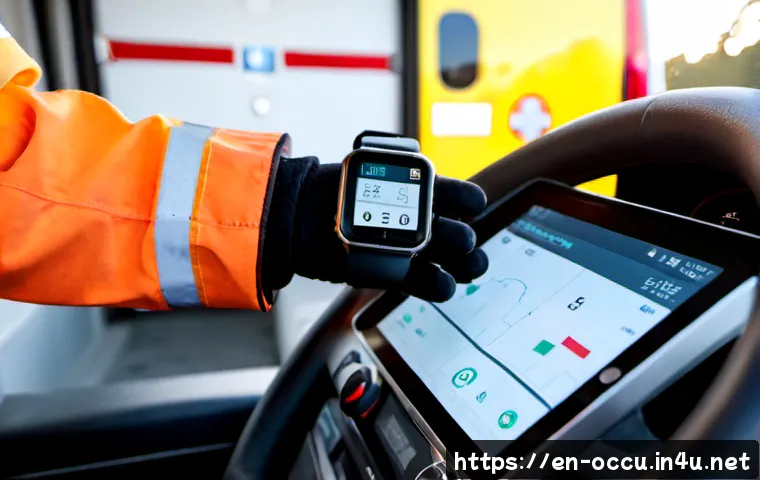
For most EMS professionals, the best choice depends on battery demands, durability, connectivity, privacy settings, and the real cost of keeping the device in service.
A watch may be useful for silent shift notifications and personal wellness tracking, especially when checking a phone is inconvenient. However, an agency radio, dispatch system, and phone still remain the better tools for essential operational communication.
Before buying, compare how the watch behaves during long shifts, with gloves, under frequent alerts, and in areas with uncertain cellular coverage. Agency users should also confirm local policy and security requirements before placing patient-related information on any wearable.
At a Glance
- Best fit: Smartwatches can be useful for EMTs, paramedics, and supervisors who need quiet alerts, timers, reminders, and navigation prompts.
- Phone and radio still matter: A wearable should not replace dispatch systems, agency radios, patient assessment, or validated clinical monitoring equipment.
- Compare before buying: Focus on battery life, cellular connectivity, display usability, durability, privacy controls, and ongoing ownership costs.
| Comparison Area | What to Check for EMS Use | Why It Matters |
|---|---|---|
| GPS and cellular capability | Phone dependence, carrier coverage, active-plan requirements, and compatibility | Navigation and connected features may be limited without reliable coverage or a paired phone. |
| Battery expectations | Expected shift use with GPS, cellular data, frequent notifications, and tracking enabled | These functions can reduce battery runtime substantially during a long shift. |
| Durability | Water resistance, impact exposure, band security, and cleaning-agent compatibility | A water-resistance rating does not automatically mean the watch is suitable for every occupational exposure. |
| Privacy features | Notification previews, voice tools, photos, messaging controls, and device-management options | Patient-identifiable information on a personal wearable can create privacy and security concerns. |
| Recurring cost | Cellular plan, protective accessories, repairs, replacements, and agency management needs | The purchase price is only one part of the total ownership cost. |
Where a Smartwatch Can Actually Help During an EMS Shift
A smartwatch is most useful when it reduces small interruptions without becoming another screen that demands attention. It can support shift organization, personal reminders, and low-friction awareness of incoming notifications. The value is practical: fewer unnecessary phone checks, easier access to timers, and a discreet way to notice noncritical prompts.
Fast alerts, silent timers, shift reminders, and navigation prompts
Vibration alerts can help a clinician notice calendar reminders, timers, alarms, and selected phone notifications when a phone is stored away. A timer may be useful for personal task pacing or routine reminders, while navigation prompts can provide basic cues when paired with a compatible phone or network connection.
Set up alerts carefully. Not every notification deserves wrist access during a call. Limit notifications to essential personal or operational categories, and silence nonurgent apps during patient care, driving, and high-focus tasks.
Wellness and recovery tracking outside patient care
Wearable wellness tools may be useful outside direct patient care for activity tracking, sleep-related routines, or general recovery awareness. For shift workers, these features can support personal habits by making reminders and trends easier to review.
Consumer watches may also offer ECG recording or irregular-rhythm notifications. Their availability, intended use, and regulatory status can vary by model and country. These features are personal consumer tools, not patient-care equipment.
What a wearable should never replace in the field
A smartwatch should not replace patient assessment, medical direction, local EMS protocols, validated clinical monitoring equipment, dispatch workflows, or agency radio communication. It should also not become the primary place for patient details, photos, dictated notes, or clinical messaging unless an agency has specifically approved a secure workflow.
Compare the Features That Matter for EMT and Paramedic Use
The strongest smartwatch comparison is not about the longest feature list. It is about whether the device remains usable during a real shift, including repeated alerts, glove use, movement, weather exposure, and limited charging opportunities.
Battery life versus always-on display, GPS, and cellular use
Battery runtime can fall substantially when GPS, cellular data, frequent notifications, workout tracking, or an always-on display are active. A watch that works well for casual daily use may behave differently during a busy shift.
Consider charging access between calls, whether you can carry a charger, and how much independence you need from your phone. A cellular smartwatch may add flexibility, but it generally depends on carrier coverage, an active plan, and compatible hardware.
Screen visibility, glove operation, vibration strength, and quick controls
For field use, test whether the display is readable in bright conditions and whether important controls are reachable with gloves or damp hands. A clear screen and noticeable vibration can matter more than extra lifestyle apps.
Look for a setup that allows simple actions: checking a timer, dismissing an alert, viewing a reminder, or following a navigation prompt. Quick controls should reduce friction, not create distraction.
Water resistance, impact protection, bands, and cleaning compatibility
Water resistance is useful, but it does not confirm that a device can handle every decontamination chemical, high-impact task, or occupational exposure. Check the manufacturer’s cleaning guidance and compare it with the products and conditions used by your agency.
Also assess the band. It should stay secure, be comfortable under gloves or uniform layers, and fit your cleaning routine. A protective case or screen protection may reduce replacement risk, but it also adds to the total cost of ownership.
Cost and Value: Personal Smartwatch vs Agency-Issued Device
A smartwatch purchase is easier to evaluate when you separate the initial device price from the continuing costs and operational responsibilities. This matters for individual EMTs as well as agencies considering standardized wearable deployment.
Upfront device price, accessories, repairs, and replacement planning
Compare the watch itself with necessary accessories such as a protective case, screen protection, extra charging equipment, and replacement bands. Consider how likely the watch is to be exposed to impacts, fluids, cleaning products, or loss during work.
Total ownership cost includes more than the first purchase. Repair options, warranty terms, replacement availability, and protective accessories should be reviewed before choosing a model.
Cellular plan costs and coverage limitations
A cellular watch can be appealing when an EMT or paramedic wants fewer moments of phone dependence. Still, connected functions generally rely on an active plan, compatible devices, and usable carrier coverage. Coverage may not be consistent in rural areas, inside hospitals, or during high-call-volume shifts.
Before adding a recurring plan, ask whether the watch will solve a real operational problem or simply duplicate what your phone already handles reliably.
When device-management and secure communication tools justify agency spending
For agencies, the value calculation changes when watches are used across multiple staff members. Agency-issued devices may require mobile-device management, acceptable-use rules, secure communication workflows, and support for lost or replaced devices.
A standardized deployment may be more practical when the agency has a clearly defined nonclinical purpose, such as schedules, check-ins, or controlled alerts. Without policy, security controls, and support processes, fleet purchases can create avoidable administrative and privacy problems.
Privacy, Patient Safety, and Operational Mistakes to Avoid

Wearable convenience can create risk when notifications, voice tools, cameras, or messaging features are treated casually. EMS use requires a deliberate boundary between personal productivity and patient information.
Keep patient-identifiable details off personal notifications and voice tools
Patient-identifiable information displayed, dictated, photographed, or transmitted through a personal wearable can create privacy and security concerns. Avoid allowing sensitive message previews on the watch face, and do not assume that a personal device is approved for clinical communication.
Confirm local requirements for recording, messaging, location sharing, and patient information handling. Agency policy and secure workflow approval should come before convenience.
Avoid treating wellness or ECG features as diagnostic equipment
Consumer health features can be interesting for personal use, but they are not a substitute for clinical assessment or validated medical monitoring. Do not use a consumer reading to guide patient care, override protocols, or replace medical direction.
Set notification rules that reduce distraction during calls and driving
Notification settings should support attention, not fragment it. Use focus modes, limited app alerts, and vibration preferences that reduce unnecessary interruptions. During driving, patient contact, medication tasks, and scene operations, the safest notification may be no notification at all.
Best-Fit Scenarios for EMTs, Paramedics, Supervisors, and Agencies
Individual clinicians seeking shift organization and personal safety features
An individual EMT or paramedic may benefit most from alarms, silent timers, calendar reminders, navigation prompts, and selected personal notifications. A phone-connected watch can be enough when the goal is convenience rather than independent connectivity.
Choose personal use when you can keep patient information off the device and when charging, cleaning, and replacement risks are acceptable for your work environment.
Supervisors coordinating schedules, check-ins, or nonclinical alerts
Supervisors may find a smartwatch useful for schedule awareness, reminders, check-ins, and nonclinical operational alerts. The device is more appropriate for coordination when it supports existing agency communication methods instead of competing with them.
Agencies evaluating standardized wearable deployment
Agencies should define the use case before comparing models. A fleet purchase may require device-management tools, secure workflows, acceptable-use rules, carrier planning, replacement procedures, and training on privacy settings.
Ask whether standardization offers enough operational value to justify the ongoing cost, management workload, and support requirements. Exact device suitability, local approval, and cleaning compatibility must be verified for each agency environment.
Selection Criteria and Comparison Summary
Use this final checklist before choosing a smartwatch for EMS work:
- Personal use: Does it provide useful alerts, timers, and reminders without exposing patient information?
- Shift-work use: Can the battery handle your likely settings, including GPS, cellular data, and frequent notifications?
- Duty environment: Is the screen usable with gloves, and can the watch and band fit your cleaning and exposure conditions?
- Connectivity: Does cellular capability add meaningful value beyond your phone, given carrier coverage and recurring plan costs?
- Agency deployment: Are mobile-device management, secure communication workflows, and acceptable-use rules in place?
- Total cost: Have you considered accessories, repairs, replacement risk, cellular fees, and support needs?
For a smartwatch comparison, review the manufacturer’s official specifications, compatibility details, cleaning guidance, carrier requirements, and support terms on the relevant product pages before making a purchase decision.
Closing Thoughts
A smartwatch can be a practical EMS accessory when it helps with organization and awareness without pulling attention away from patient care. The most useful setup is usually simple: limited alerts, reliable charging habits, and clear privacy boundaries. For individual clinicians, phone-connected use may be enough. For agencies, the decision should include policy, security, management, and long-term ownership considerations.
Useful Information to Know
1. Cellular functions may require compatible hardware, an active plan, and reliable carrier coverage.
2. GPS, cellular data, frequent alerts, and tracking can reduce battery runtime.
3. Water resistance does not automatically confirm compatibility with occupational cleaning chemicals or impact exposure.
4. Personal wearable health features should remain separate from patient assessment and clinical monitoring.
Key Considerations
Specific smartwatch approval, agency support, pricing, plan fees, warranty terms, local privacy rules, and field reliability must be confirmed before purchase or deployment. A device that works well in one service may not be suitable for another agency’s cleaning products, uniforms, coverage area, or communication policies.
Frequently Asked Questions
Q1. Are smartwatches safe for EMTs and paramedics to use on duty?
A1. They can be used safely when they support rather than distract from work. Limit nonessential notifications, keep patient-identifiable information off personal devices, follow agency policy, and do not rely on a smartwatch for clinical assessment or dispatch communication.
Q2. What smartwatch features are most useful for EMS professionals?
A2. Useful features may include vibration alerts, timers, alarms, calendar reminders, navigation prompts, readable displays, quick controls, and settings that reduce notification distraction. The best feature set depends on the user’s role, phone access, and work environment.
Q3. Is a cellular smartwatch worth the extra monthly cost for shift work?
A3. It may be worthwhile if independent connectivity provides a clear benefit when a phone is not convenient to access. Check carrier coverage, device compatibility, active-plan requirements, battery impact, and whether the phone or agency radio already meets the same need.